


If you have a WordPress website you know how frustrating SEO can be. So we have create advance and all in one SEO Plugin for WordPress
At first it seems easy. You install one SEO plugin publish pages add keywords and expect your website to rank on Google.
Problems start appearing. You need another plugin for schema markup, another for redirects another for image SEO and so on.
Before you know it your website is overloaded with plugins. Your WordPress dashboard is messy your website speed is slower and plugins start conflicting with each other.
The biggest problem is that SEO still doesn’t feel properly managed.
That’s why we created AuditBridge SEO Toolkit.
Why We Built AuditBridge SEO Toolkit
Many WordPress users face the issue. They don’t need plugins. They need one solution, a cleaner workflow, fewer plugin conflicts and advanced SEO features without expensive monthly subscriptions.
Free SEO plugins only offer features while important tools are locked behind paid plans. Using plugins creates unnecessary load on the website and makes SEO management more complicated.
We wanted to build something. We wanted to create one SEO plugin for WordPress that can handle most important SEO tasks from one dashboard – while keeping it free and beginner-friendly.
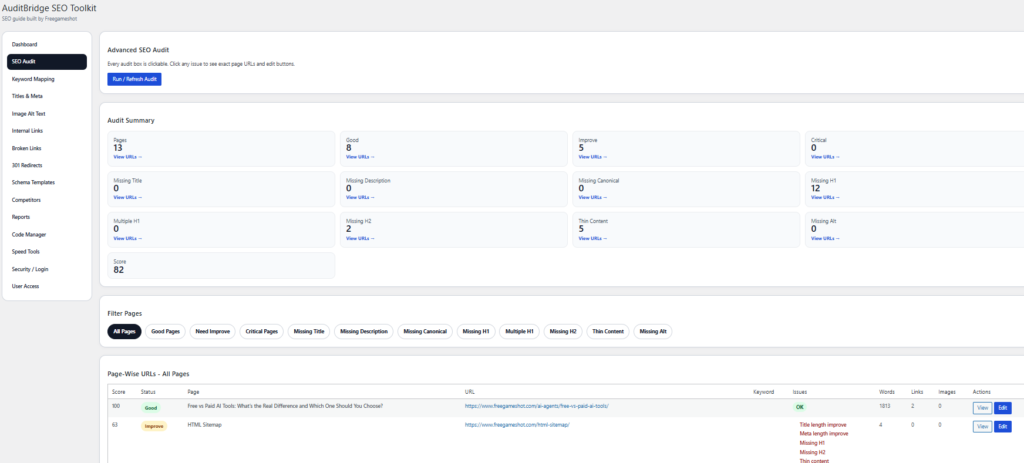
What is AuditBridge SEO Toolkit?
AuditBridge SEO Toolkit is an all-in-one SEO plugin for WordPress websites. Its designed for bloggers, freelancers, agencies, small business owners, SEO learners and anyone who wants SEO management without relying on multiple plugins.
You can manage everything from one place. The plugin focuses on SEO improvements that help website owners organize and optimize their websites more efficiently.
Common Problems Users Face With SEO Plugin for WordPress
Most WordPress websites face these issues:
Many Installed Plugins
Websites use one plugin for schema one for redirects one for image optimization and so on. This increases plugin dependency. Creates unnecessary complexity.
Slow Website Performance
Heavy plugins add scripts, database load, unnecessary CSS and background processes. This makes pages load slower and affects user experience.
Plugin Conflicts
One plugin can affect another plugins functionality. You update one SEO plugin. Suddenly redirects stop working or metadata disappears.
Premium SEO Tools
Advanced SEO features are usually locked behind expensive subscriptions. Not every website owner or beginner can afford premium SEO tools every month.
Features Included in AuditBridge SEO Toolkit
AuditBridge SEO Toolkit combines SEO-related features into one plugin. Here are some of the useful tools:
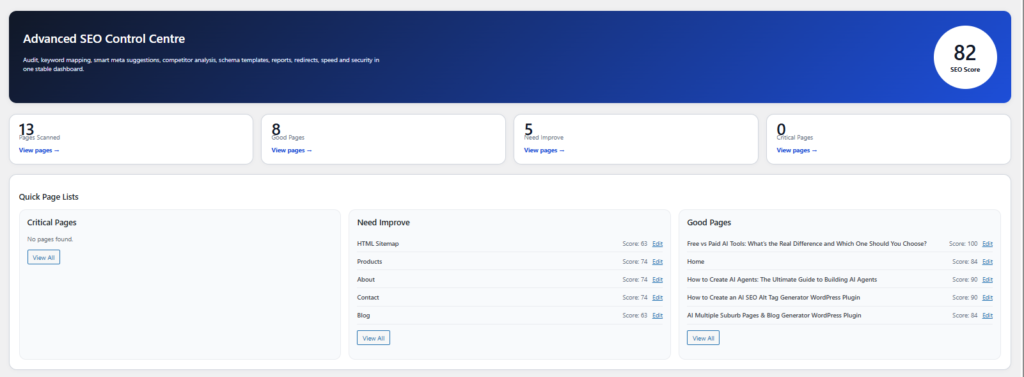
Full Website SEO Audit
The built-in SEO audit tool helps scan your website and identify common SEO problems. It detects missing SEO titles, descriptions H1 tags, broken links, image alt text issues and more.
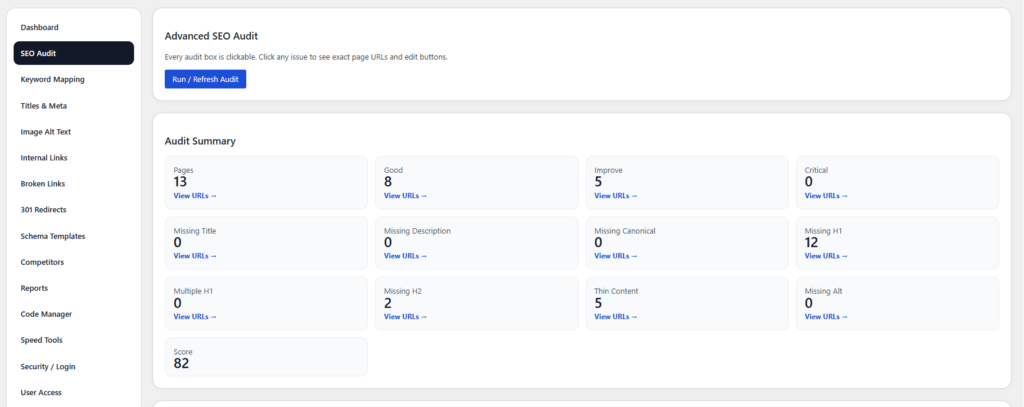
Keyword Mapping:
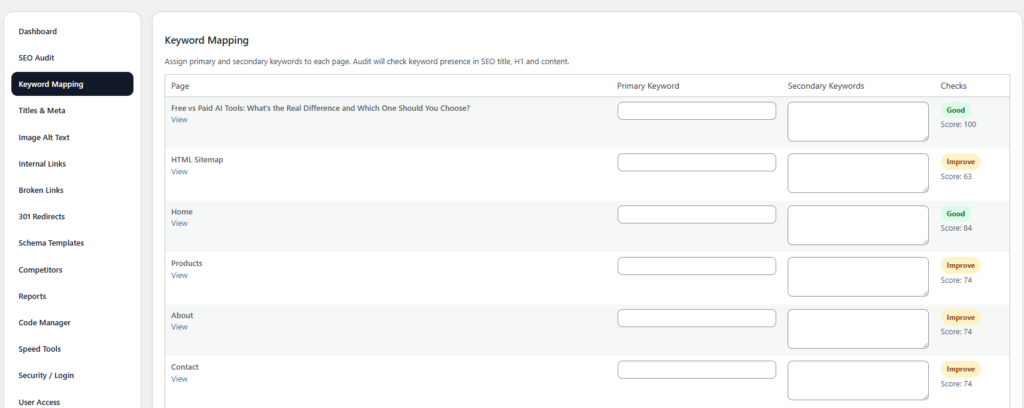
Competitor Analysis
Understand how your website performs compared to others. With the competitor analysis tool, you can:
- Compare your website’s SEO performance against top competitors in your niche.
- Learn from competitor strategies and improve your own site accordingly.
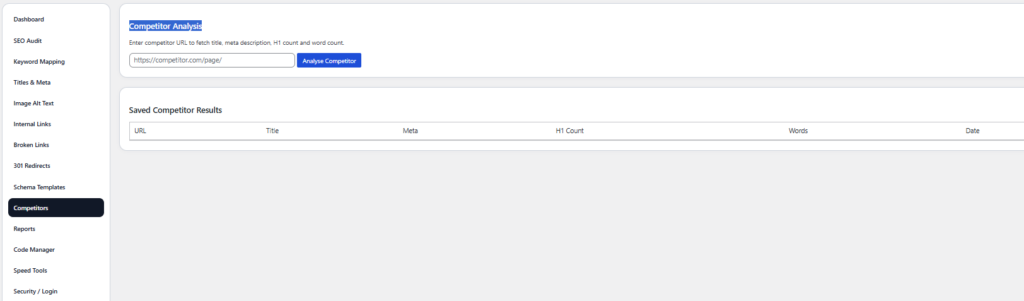
SEO Titles & Meta Description Management
You can manage SEO titles, meta descriptions and canonical URLs from one dashboard. This is especially useful on websites where manually editing every page can take a lot of time.
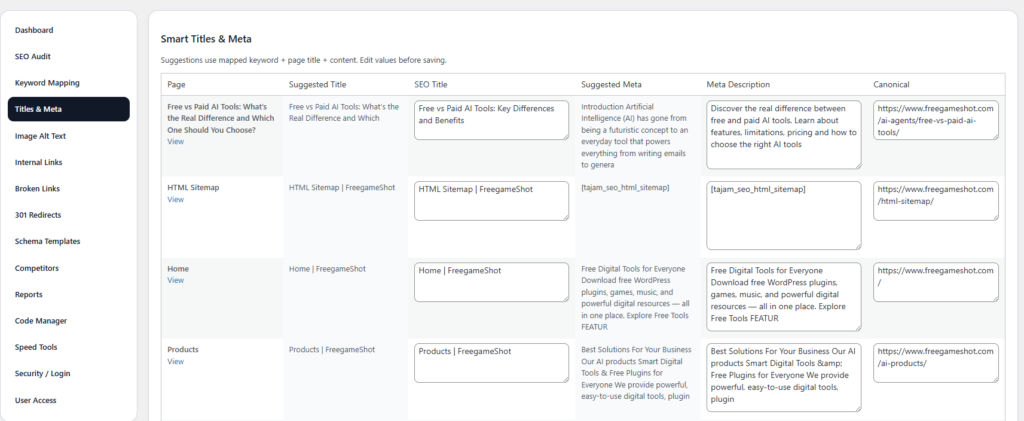
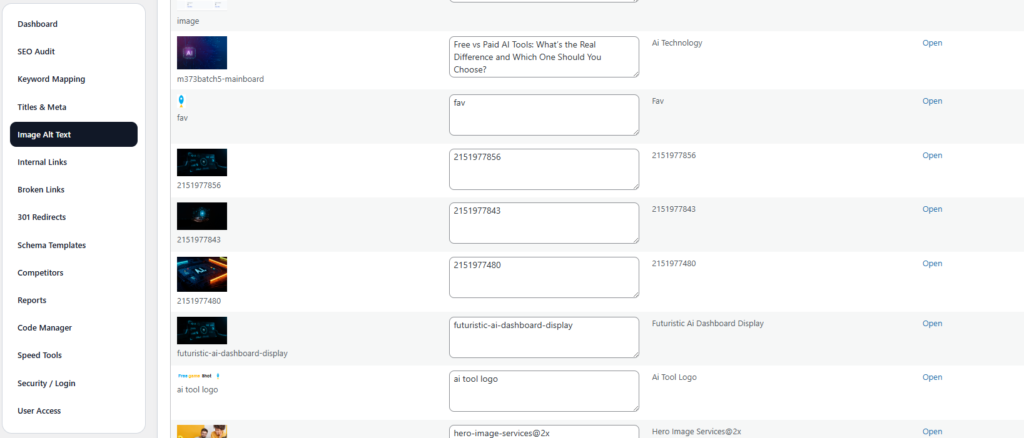
Image Alt Text Optimization
The plugin helps identify missing alt text. Allows quick optimization directly from the dashboard. This makes image SEO management much easier for content-heavy websites.
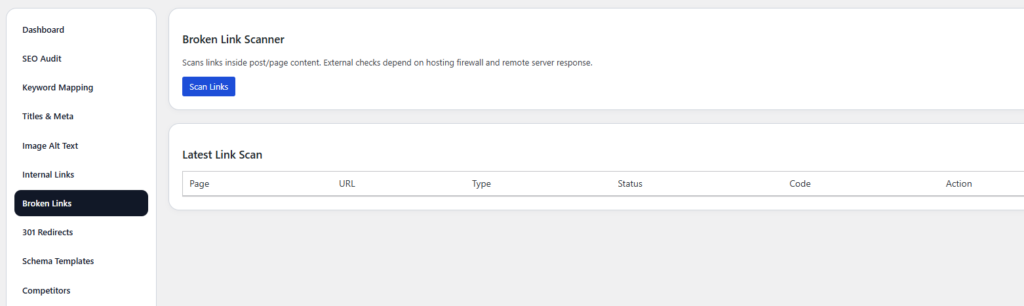
Broken Link Scanner
The broken link scanning feature helps identify broken links, broken external links and problematic URLs. This helps website owners maintain a cleaner site structure over time.
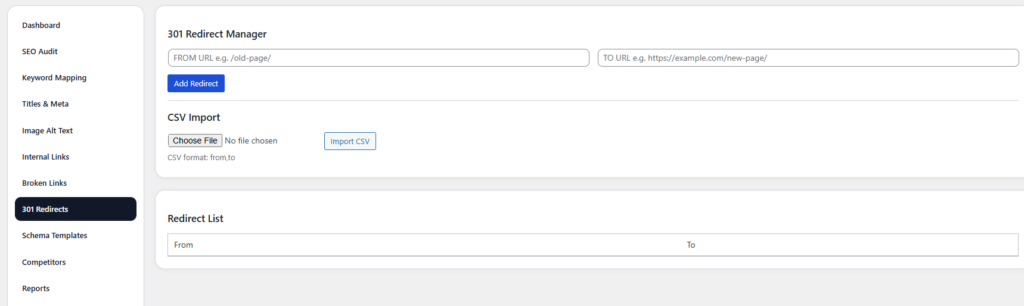
301 Redirect Manager
You can easily create 301 redirects, URL forwarding and redirect rules without needing another plugin. This helps preserve SEO value while improving user experience.
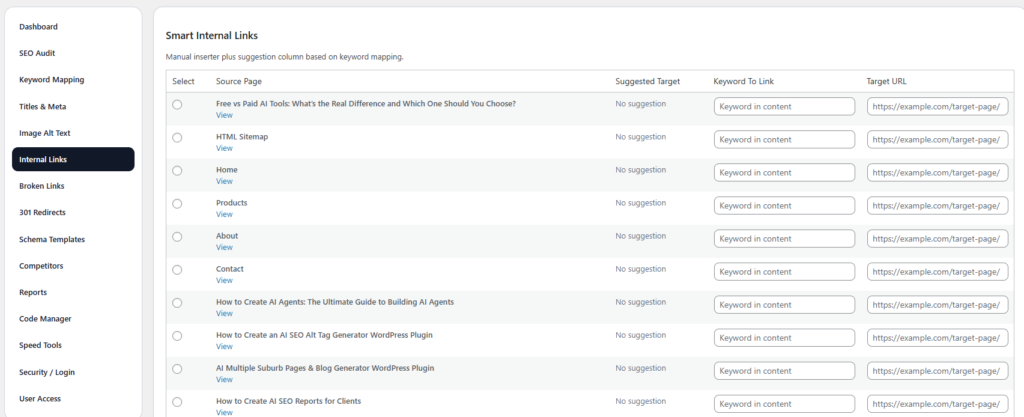
Internal Linking Assistance
The plugin helps organize linking opportunities more effectively. Good internal linking improves navigation distributes page authority and assists search engines in crawling content
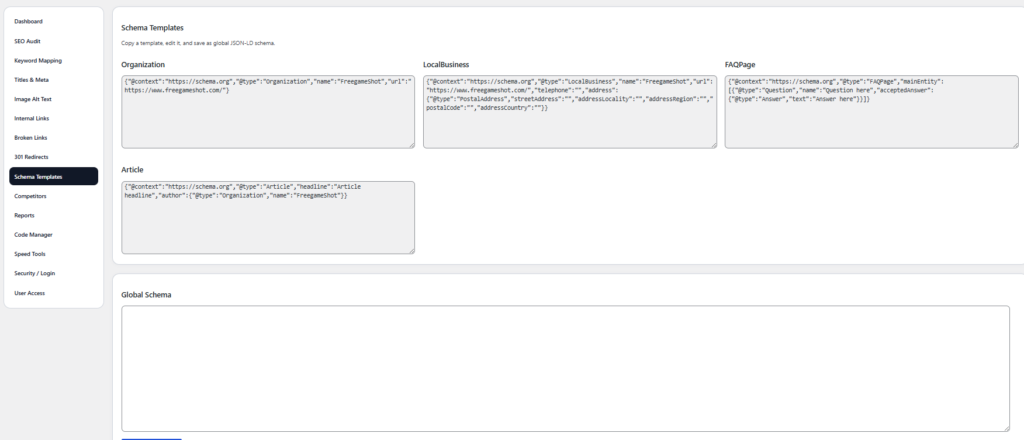
Schema Markup Support
AuditBridge SEO Toolkit supports common schema types, including FAQ Schema, Article Schema, Product Schema and Local Business Schema. Proper schema implementation can improve how your website appears in search results and increase visibility through snippets.
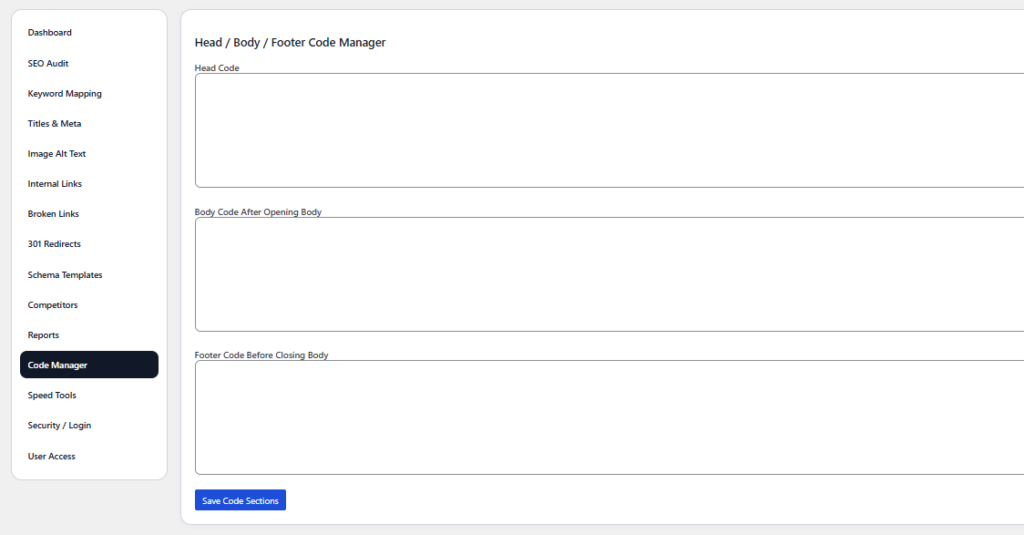
Head / Body / Footer Code Manager
The Code Manager allows you to easily add custom code to your WordPress site. Whether it’s for:
- Tracking pixels,
- Custom scripts,
- or additional schema types,
you can safely manage code without needing to access your theme files directly.
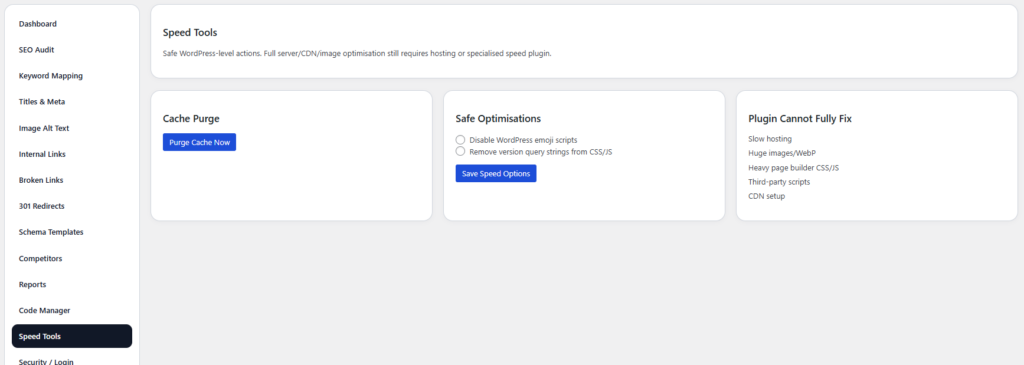
Speed Tools
Page speed is a major factor in both user experience and SEO. The plugin provides tools for:
- Analyzing your website’s load speed.
- Suggesting improvements like image optimization and cache clearing.
- Implementing speed-enhancing strategies to improve your Core Web Vitals.
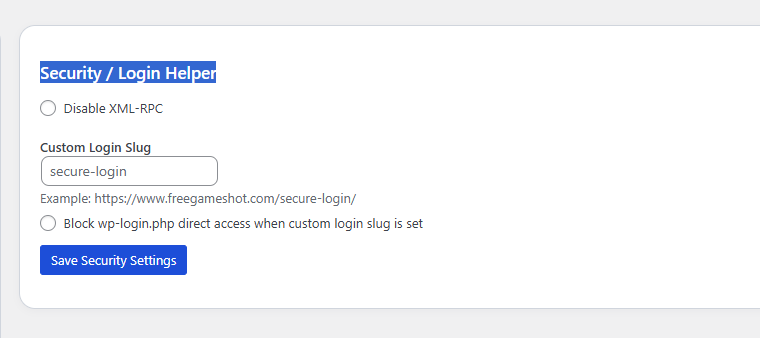
Security / Login Helper
SEO is not just about content and keywords; website security is also crucial. The plugin provides security features for:
- Managing user access to the plugin.
- Protecting sensitive data and preventing unauthorized access.
SEO Reporting System
The plugin includes downloadable reporting features that help generate SEO summaries and audit reports. This is useful for freelancers, agencies, consultants and client website management.

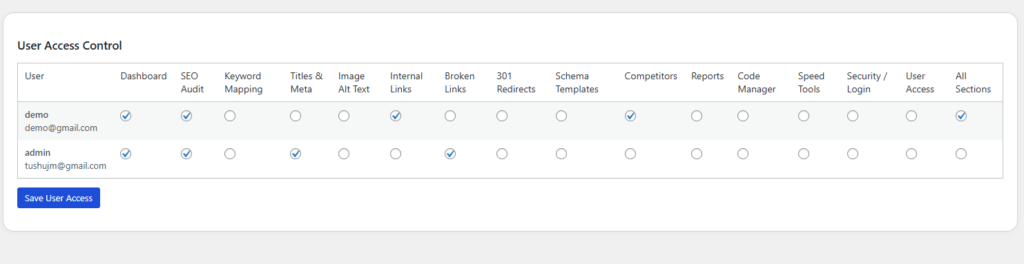
User Access Control
Set role-based access control for different users, ensuring only authorized individuals can modify SEO settings. You can:
- Set different permissions for editors, admins, or SEO managers.
- Ensure security and accountability for your SEO efforts.
SEO Plugin for WordPress with Lightweight & Practical Design
The plugin focuses on tools that’re genuinely useful for SEO workflows. The goal is to simplify SEO management not to overload the website.
Who Should Use AuditBridge SEO Toolkit?
The plugin is suitable for types of WordPress users:
Bloggers
Manage SEO basics more easily without installing multiple plugins.
Small Business Owners
Handle SEO tasks without hiring expensive SEO teams immediately.
Freelancers & Agencies
Use reporting tools and audits for client websites.
Beginners Learning SEO
Understand SEO issues through clear dashboards and organized reports.
Developers
Reduce plugin dependency while managing SEO features efficiently.
Why One Plugin Can Sometimes Be Than Ten
Using fewer plugins helps websites stay cleaner lighter easier to manage and more secure. Combining SEO features into one organized dashboard can make website management much simpler.
Our Goal Behind This Plugin
The purpose behind AuditBridge SEO Toolkit is to help website owners who can’t afford SEO tools feel overwhelmed by technical SEO or simply want a cleaner and more manageable workflow.
WordPress SEO has become more complicated over the years. Most users are forced to install plugins just to manage basic SEO tasks. AuditBridge SEO Toolkit was created to simplify that experience.
Download AuditBridge SEO Toolkit
If you need an advanced SEO plugin for WordPress that combines audits, schema, redirects, image SEO, metadata management and more into one dashboard AuditBridge SEO Toolkit is worth trying. Start optimizing your WordPress website with plugins and a simpler SEO workflow.
FAQs for AuditBridge SEO Toolkit:
1. What is AuditBridge SEO Toolkit?
Answer:
AuditBridge SEO Toolkit is a free, all-in-one SEO plugin for WordPress that helps you manage and improve your website’s SEO. It includes features like SEO audits, keyword mapping, image alt text optimization, schema markup, 301 redirects, broken link scanners, and more.
2. Is AuditBridge SEO Toolkit free?
Answer:
Yes, AuditBridge SEO Toolkit is completely free to use. All the essential features are available at no cost to help you optimize your website’s SEO.
3. How does the SEO audit feature work?
Answer:
The SEO audit feature scans your website for common SEO issues such as missing titles, meta descriptions, broken links, missing H1 tags, image alt text issues, and more. It categorizes them into critical, needs improvement, and good so you can easily prioritize tasks.
4. Can I manage SEO titles and meta descriptions using this plugin?
Answer:
Yes, AuditBridge SEO Toolkit allows you to edit SEO titles and meta descriptions directly from the plugin dashboard. It even suggests optimized titles and descriptions based on keywords and content.
5. What is the image alt text optimization feature?
Answer:
This feature helps you optimize image alt texts by automatically generating alt text for images based on their filenames or page content. It ensures your images are SEO-friendly and accessible to users and search engines.
6. How does the plugin handle 301 redirects?
Answer:
AuditBridge SEO Toolkit includes a 301 Redirect Manager that allows you to set up and manage redirects for old or deleted URLs, ensuring that both users and search engines are properly redirected to the correct pages.
7. Can I fix broken links with this plugin?
Answer:
Yes, the plugin scans your website for broken internal and external links and helps you fix them by providing a list of broken URLs. This helps improve user experience and prevents SEO penalties.
8. Does the plugin support schema markup?
Answer:
Yes, AuditBridge SEO Toolkit supports various schema types like article schema, product schema, FAQ schema, and more. It helps you generate structured data for your content, improving visibility in search results and increasing your chances of appearing in rich snippets.
9. How can I track my website’s SEO progress using this plugin?
Answer:
The plugin includes a reporting feature that allows you to export your SEO audit results in formats like CSV, Word, PPT, and HTML. This makes it easy to track improvements over time and share reports with clients or teams.
10. Is AuditBridge SEO Toolkit easy to use for beginners?
Answer:
Yes, AuditBridge SEO Toolkit is designed to be user-friendly, even for beginners. The plugin has an intuitive dashboard, and each feature is easy to access and use. You don’t need advanced SEO knowledge to get started.