


AuditBridge SEO Toolkit is a comprehensive, free SEO plugin for WordPress that covers everything you need to optimize your website for better search engine rankings. The plugin provides SEO audit tools, meta tag management, image alt text improvements, redirect management, schema markup generation, and more — all in one place, without needing multiple plugins.
Whether you’re a blogger, a business owner, or a web developer, this plugin helps you manage and improve your site’s SEO easily, without any costs!
Features of Free SEO Plugin for WordPress
1. Complete SEO Audit
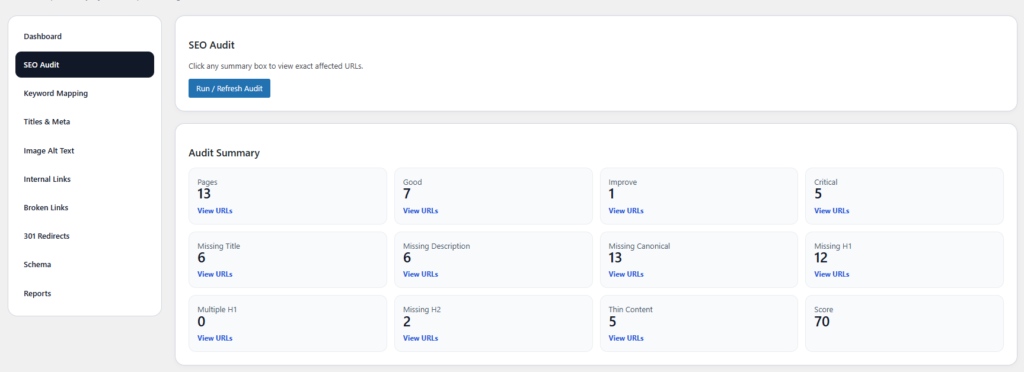
Run a full SEO audit of your website and identify critical issues like:
- Missing SEO titles and descriptions
- Broken links (internal & external)
- Missing image alt texts
- Duplicate content
- And more…
AuditBridge provides a detailed SEO score and categorizes issues based on their importance, allowing you to fix them quickly and improve your website’s SEO.
2. Titles & Meta Description Optimization
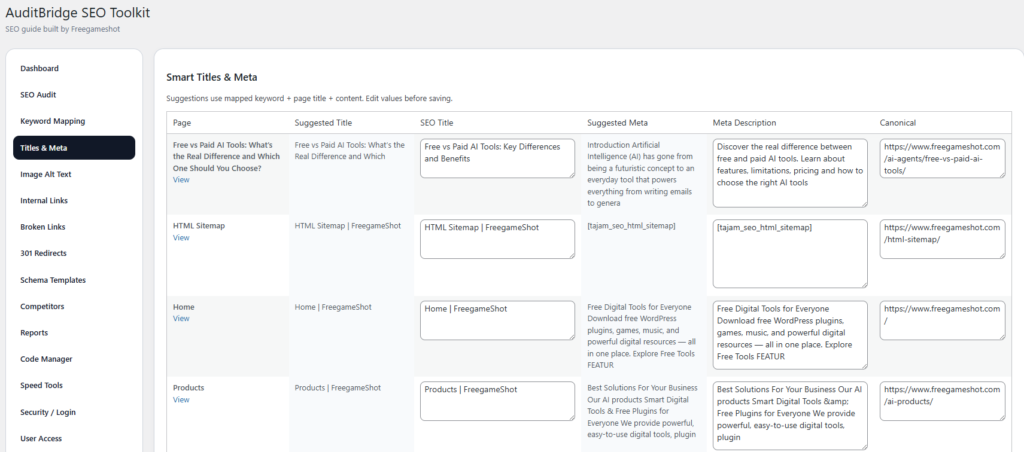
Edit your SEO titles, meta descriptions, and canonical URLs directly from the plugin. The plugin suggests optimized titles and descriptions based on keywords and content, helping you create SEO-friendly pages.
- Suggested Titles & Descriptions: Receive recommendations based on your keywords.
- Meta Description: Add or edit the meta descriptions to ensure they are within the ideal character length.
3. Image Alt Text Optimization
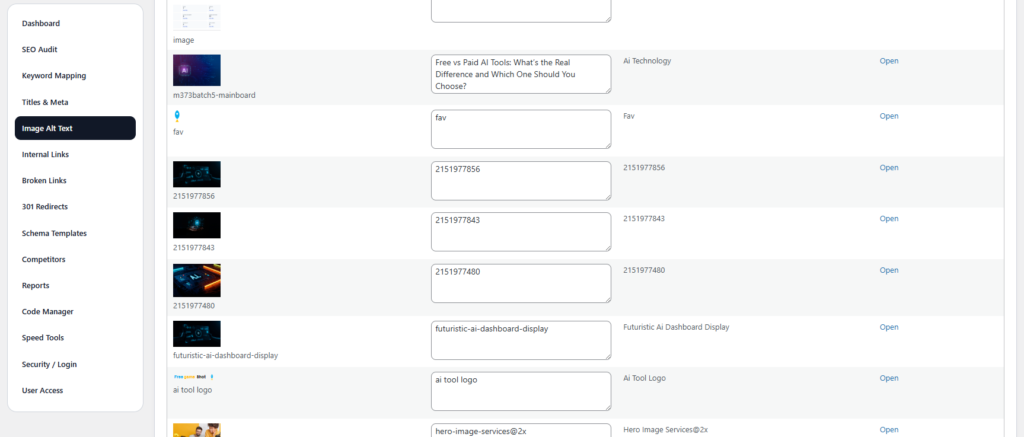
The plugin scans your site for missing alt text on images and allows you to bulk-edit alt texts. You can auto-generate alt text using the image’s filename, title, or page content, ensuring your site is fully optimized for both SEO and accessibility.
4. Broken Link Scanner
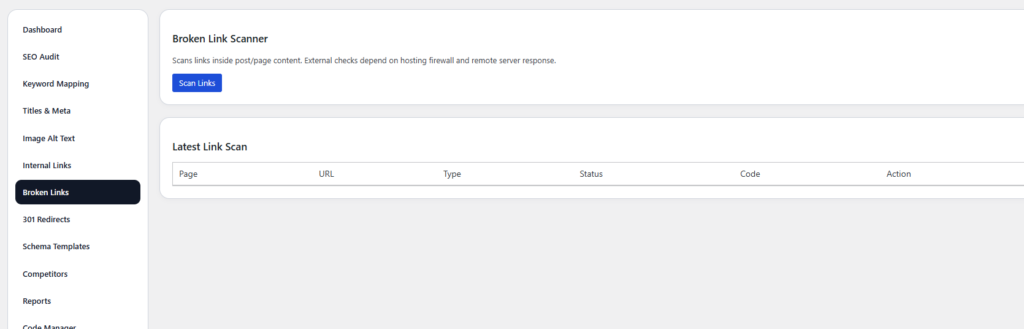
Scan your website for broken internal and external links. Fixing broken links is crucial for both user experience and SEO performance.
- Fix Broken Links: View all the broken links and take action.
- Redirect Management: Redirect broken links to their new destinations.
5. 301 Redirect Manager
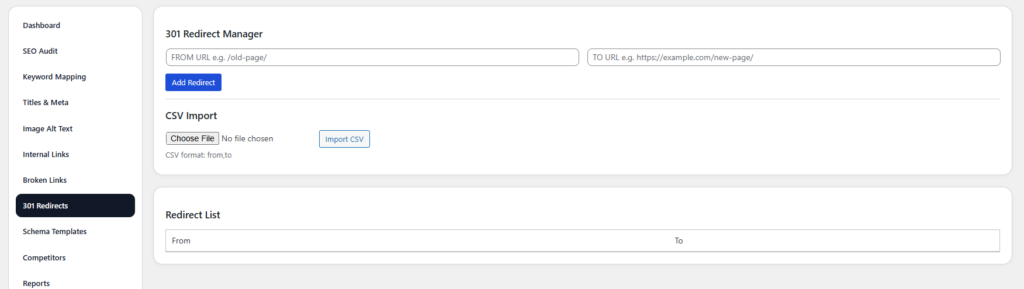
Easily create and manage 301 redirects to ensure that users and search engines are correctly redirected to new URLs when content changes or pages are removed. This preserves SEO value from old pages.
6. Schema Markup
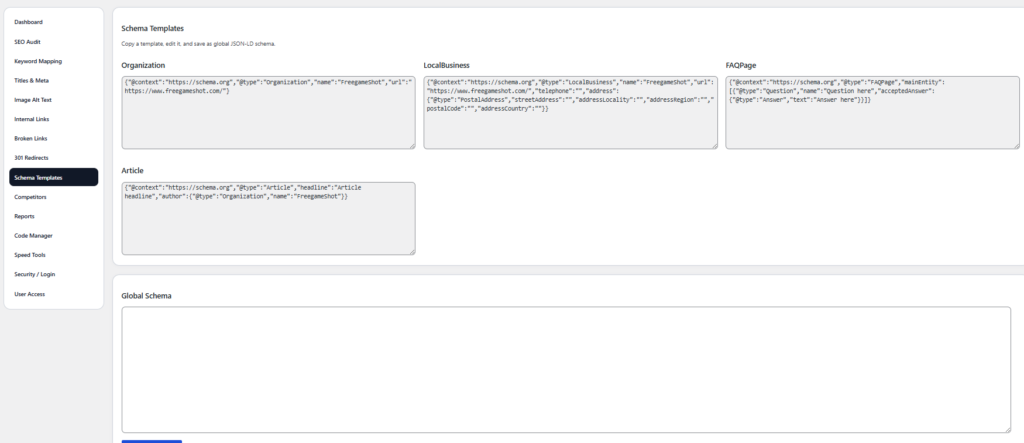
Generate JSON-LD schema for articles, products, events, recipes, and more. The plugin lets you easily implement structured data to enhance your website’s search visibility and increase your chances of showing up in rich snippets.
7. SEO Reports (CSV/HTML/Word/PPT)
Export your SEO audit results in various formats: CSV, HTML, Word, and PPT. Share your reports with clients or team members in a professional format.
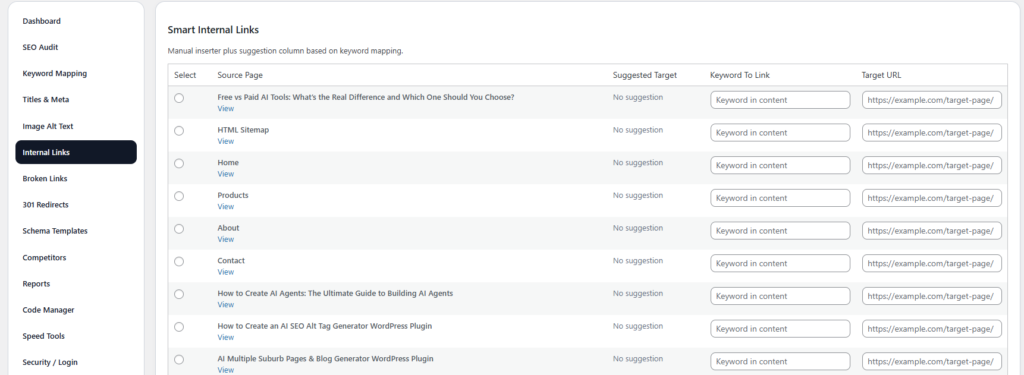
- Generate Reports: Download reports in the format of your choice.
- Professional Export: Perfect for sharing with clients and colleagues.
8. Internal Link Inserter
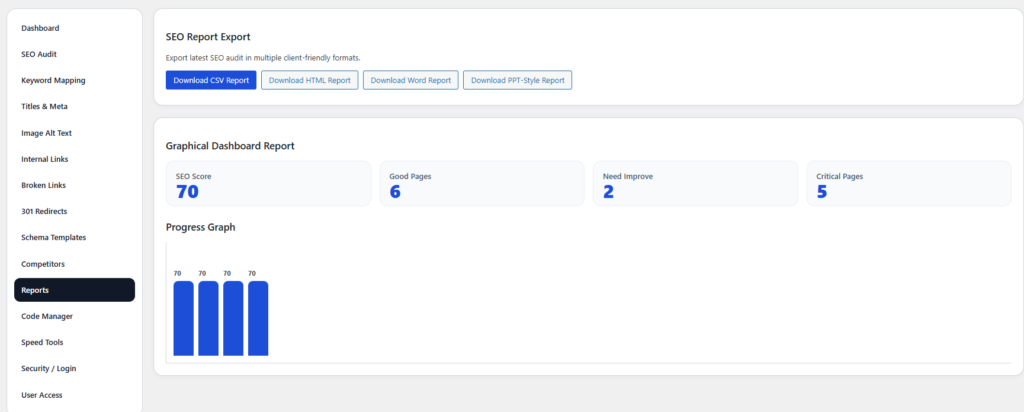
The internal linking tool helps you easily add internal links to improve site structure and SEO. This feature ensures that your website is well-connected and optimized for search engines.
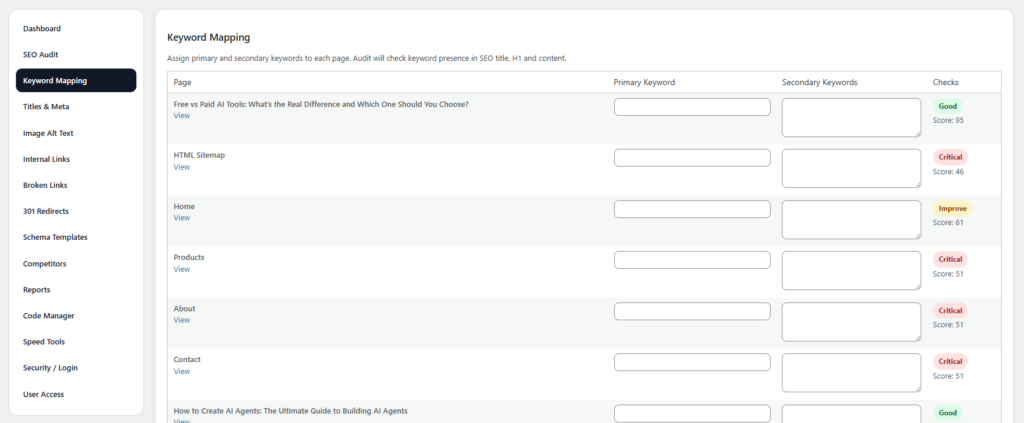
9. Keyword Mapping
Map primary and secondary keywords to specific pages, ensuring proper keyword usage throughout your site. This feature helps you keep track of keywords for better targeting and optimization.
How to Use AuditBridge SEO Toolkit
Step–1: Install the Plugin
- Go to your WordPress Admin Dashboard.
- Navigate to Plugins > Add New.
- Search for AuditBridge SEO Toolkit.
- Click Install Now and then Activate.
Step–2: Run the SEO Audit
- After activation, go to AuditBridge SEO Toolkit in your WordPress dashboard.
- Click Run SEO Audit to scan your website.
- View the results, which will be categorized into Good, Need Improvement, and Critical.
Step-3: Fix SEO Issues
- Edit Titles & Meta Descriptions: Optimize your page titles and meta descriptions.
- Fix Broken Links: View and fix any broken links found.
- Update Image Alt Text: Auto-generate or manually add alt text to your images.
- Apply Schema Markup: Add structured data to your pages to improve search engine visibility.
- Add 301 Redirects: Set up redirects for moved or deleted pages.
Step-4: Export Reports
- Go to the Reports tab.
- Choose your preferred format (CSV, HTML, Word, or PPT).
- Download your report and share it with clients or team members.
Free SEO Plugin for WordPress
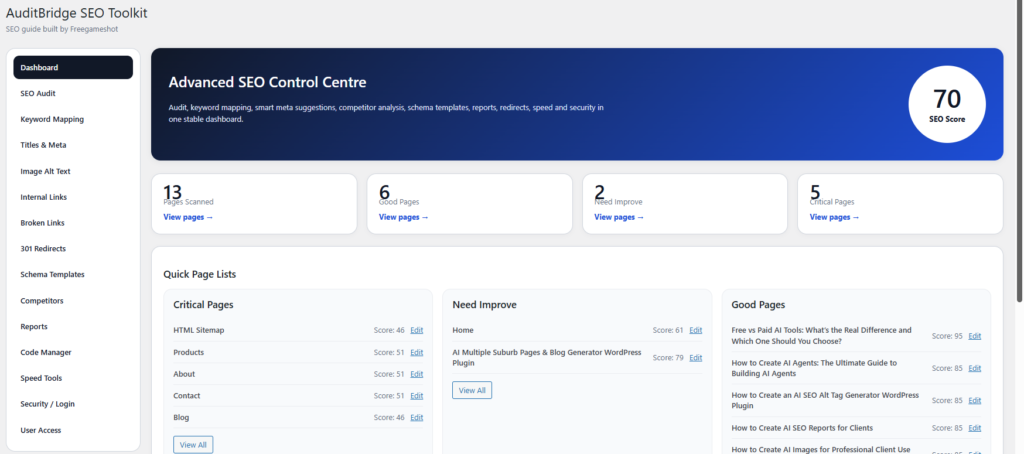
SEO Dashboard: An overview of your site’s SEO health, including quick access to audit results.
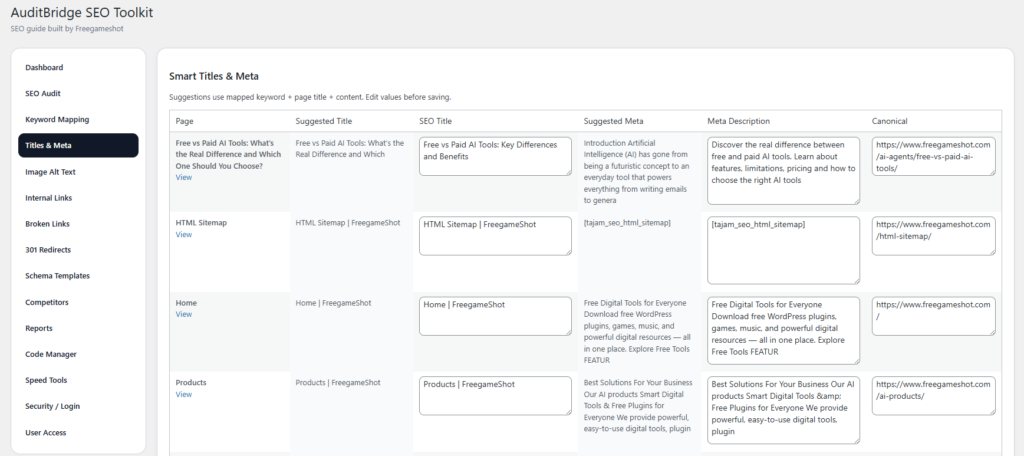
Titles & Meta Editor: Easily edit and optimize SEO titles and meta descriptions for all your pages.
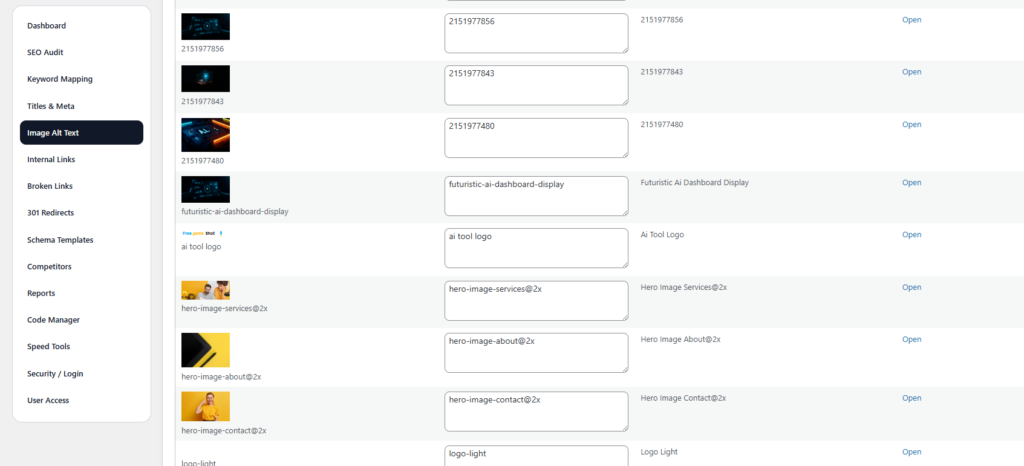
Image Alt Text Optimization: Quickly add or auto-generate alt text for all images on your website.
Why Choose Free SEO Plugin for WordPress?
- Completely Free: No hidden fees or subscriptions.
- Comprehensive Features: A one-stop solution for all your SEO needs, including audits, redirects, image optimization, keyword mapping, and schema markup.
- User-Friendly Interface: The plugin is designed for both beginners and experienced SEO professionals.
- Regular Updates: We constantly improve the plugin to keep it aligned with SEO best practices.
Download AuditBridge SEO Toolkit Now!
Get started with AuditBridge SEO Toolkit today and boost your SEO rankings with the best free SEO tool available for WordPress.
Frequently Asked Questions (FAQs)
1. What does the AuditBridge SEO Toolkit do?
The AuditBridge SEO Toolkit is a comprehensive SEO plugin for WordPress that helps you run SEO audits, manage keyword mapping, optimize image alt text, fix broken links, create 301 redirects, and more. It helps to optimize your site for better search engine rankings.
2. How do I run a full SEO audit on my site?
- Install the plugin and activate it.
- Navigate to the SEO Audit section in the dashboard.
- Click on the Run Full SEO Audit button to scan your website for issues.
- View the detailed audit report and take action based on the issues highlighted.
3. Can I manage SEO titles and meta descriptions with this plugin?
Yes, you can easily edit SEO titles, meta descriptions, and canonical URLs for all pages on your site through the Titles & Meta section. The plugin even suggests optimized titles and descriptions based on the content and keywords you provide.
4. How does the plugin help with image optimization?
The plugin scans your website for missing image alt text and allows you to auto-generate alt text based on filenames, page titles, or content. This ensures that your images are properly optimized for SEO and accessibility.
5. What is the internal link tool, and how do I use it?
The Internal Link Inserter helps you add internal links within your content. This tool allows you to target specific keywords and link them to relevant pages on your site, improving site structure and SEO.
6. Does the plugin help with 301 redirects?
Yes, the plugin comes with a 301 Redirect Manager to set up redirects for old or deleted pages, ensuring that both users and search engines are directed to the correct pages, preserving your SEO value.
7. Can I generate SEO reports from the plugin?
Yes, you can export SEO audit results in multiple formats, such as CSV, Word, PPT, and HTML. This is ideal for client reporting or team collaboration.
8. Does the plugin support schema markup?
Yes, the plugin provides an easy way to generate JSON-LD schema markup for different types of content such as articles, events, products, and more. This improves your site’s search visibility and increases your chances of appearing in rich snippets.
9. How does the plugin handle security and login issues?
The plugin comes with built-in security features for user access control and login management. You can restrict access to the plugin’s features based on user roles, ensuring that only authorized users can modify SEO settings.
10. Is this plugin free to use?
Yes, AuditBridge SEO Toolkit is completely free to use. There are no hidden fees or premium upgrades, and you can access all the features without any limitations.
Download the AuditBridge SEO Toolkit today! This powerful, free plugin for WordPress not only helps you optimize your website but also runs comprehensive audits and maps keywords for you. Furthermore, it easily implements redirects, making the process seamless. Additionally, the plugin simplifies schema template generation, ultimately boosting your SEO efforts and improving your site’s performan
DownloadNow – AuditBridge SEO Toolkit is Completely free and easy to use!