

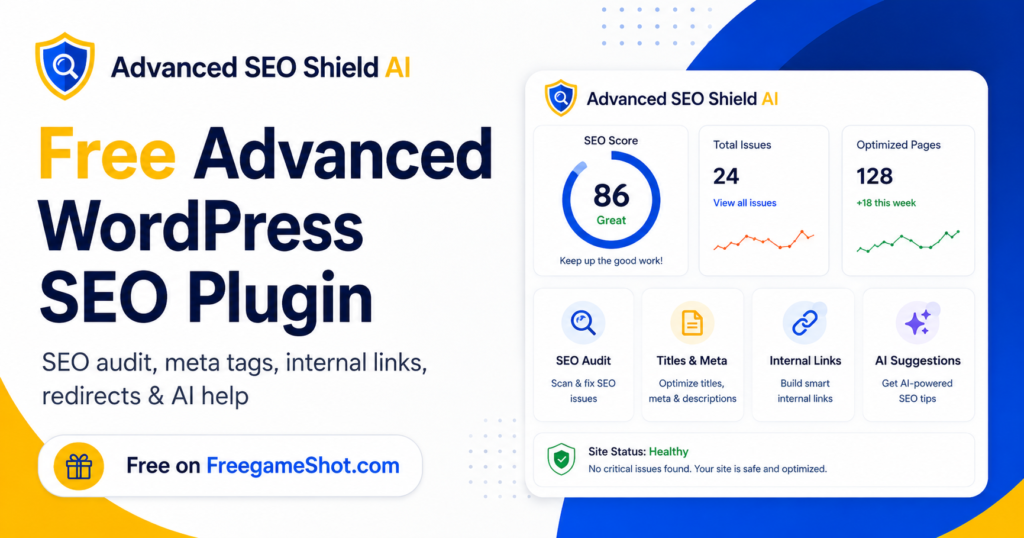
SEO is important for every WordPress website. However, not every website owner, blogger, student, freelancer, or small business can afford expensive SEO tools. Many premium SEO plugins and SEO software are powerful, but they are costly. Because of this, many people struggle to optimise their websites properly. They do not know what to fix, where to start, or how to follow the right SEO process. That is why we created a free advanced WordPress SEO plugin to help website owners and SEO members improve their websites without paying high monthly fees.
This plugin is built for people who want to rank their websites genuinely, fix SEO issues step by step, and understand what actions are required to improve website visibility.
Why We Created This Free Advanced WordPress SEO Plugin
Many beginners install SEO plugins, but they still feel confused.
They see warnings like:
- Focus keyphrase missing
- Meta description missing
- No internal links found
- Images missing alt text
- Keyphrase not found in title
- Page has no schema
- Broken links detected
- Redirects not set
- Sitemap or robots.txt issue
- Content needs better structure
These issues are common. But the real problem is that many users do not know how to solve them.
Our goal is simple:
We want to help people do SEO in a clear, guided, and practical way using one free WordPress plugin.
This plugin is not just for checking issues. It is designed to guide users with what the issue means, why it matters, and how to fix it.
What Makes This Plugin Different?
Most SEO tools either show only technical reports or provide limited features in the free version.
This plugin is different because it brings many important SEO tools together in one place.
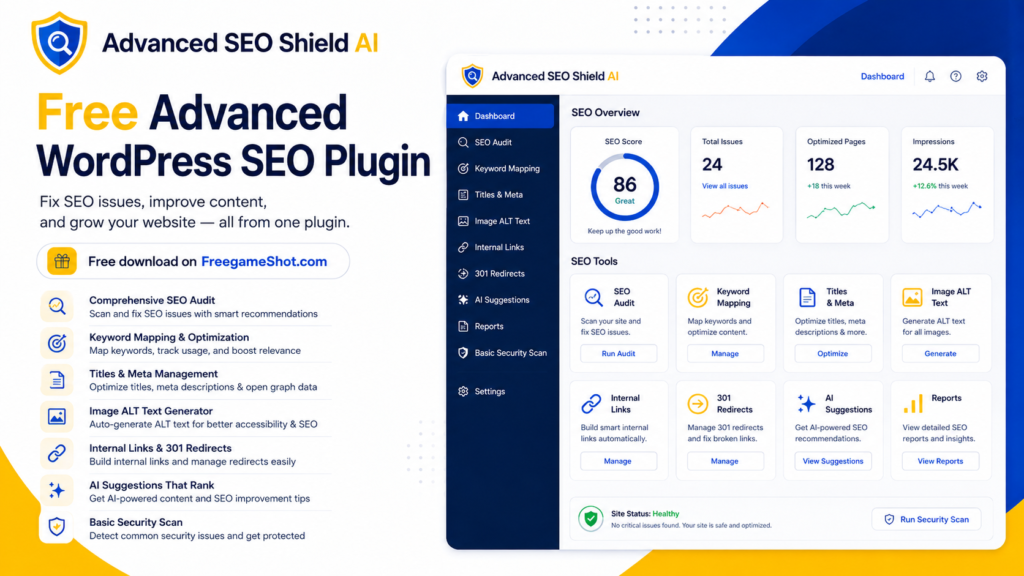
It helps with:
- SEO audit
- Keyword mapping
- Meta title and description optimisation
- Image alt text improvement
- Internal linking
- Broken link checking
- 301 redirects
- Competitor review
- Schema guidance
- Robots.txt and sitemap checks
- SEO reports
- AI-based suggestions
- Basic website security scan
- User access control
- Step-by-step SEO guidance
Instead of jumping between many plugins and tools, users can work from one simple dashboard.
Key Features of the Free Advanced WordPress SEO Plugin
1. SEO Audit Tool
The SEO audit tool helps identify common SEO issues across your WordPress website.
It can highlight issues such as:
- Missing SEO title
- Missing meta description
- Missing focus keyword
- Thin content
- Missing headings
- Missing image alt text
- Internal linking gaps
- Broken links
- Basic technical SEO issues
The audit gives a clear direction so users know where to start.
2. Keyword Mapping Tool
Keyword mapping is an important part of SEO.
Many websites fail because multiple pages target the same keyword, or important pages do not have a clear keyword focus.
The keyword mapping tool helps users assign:
- Primary keyword
- Secondary keywords
- Target URL
- Search intent
- Page priority
- Suggested content direction
This helps avoid keyword confusion and creates a clear SEO plan.
3. Titles and Meta Optimisation
SEO title and meta description are very important for search engine visibility and click-through rate.
This plugin helps users review and improve:
- SEO title
- Meta description
- Page URL
- Canonical URL
- Missing title issues
- Duplicate title issues
- Long or short meta descriptions
A good SEO title helps search engines understand the page. A good meta description can encourage more users to click your result.
4. Image Alt Text Tool
Images are often ignored in SEO. But image alt text helps search engines understand what an image is about.
This plugin helps identify images with missing alt text and gives users a way to improve them.
Good image alt text can help with:
- Image SEO
- Accessibility
- Better page relevance
- Better user experience
For example, instead of leaving an image alt empty, users can add meaningful alt text related to the page topic.
5. Internal Linking Tool
Internal linking is one of the most powerful SEO activities.
This plugin helps users find pages where internal links can be added. It shows source pages and allows users to plan target URLs.
Internal links help:
- Search engines crawl your website better
- Users discover related pages
- Important pages receive more SEO value
- Website structure becomes stronger
The plugin also gives guidance on how to implement internal links properly.
For example, if you have a blog about WordPress SEO, you can internally link to your plugin download page using a relevant anchor such as free WordPress SEO plugin.
6. Broken Link Checker
Broken links can hurt user experience and SEO quality.
The broken link tool helps identify links that may not be working properly.
Users can review:
- Broken internal links
- Broken external links
- 404 pages
- Incorrect URLs
- Pages needing redirect
Fixing broken links keeps your website clean and trustworthy.
7. 301 Redirect Manager
When a page URL changes, users should redirect the old URL to the new URL.
The plugin includes a 301 redirect tool so users can manage redirects easily.
It also includes CSV upload support for bulk redirects. This is useful when migrating a website or fixing many broken URLs at once.
A correct 301 redirect can help preserve SEO value and improve user experience.
8. Schema, Robots.txt and Sitemap Guidance
Technical SEO can be confusing for beginners.
This plugin includes guidance for:
- Schema markup
- Robots.txt
- Sitemap.xml
- Indexing instructions
- Search engine crawling basics
Schema helps search engines better understand your content. Sitemap helps search engines discover pages. Robots.txt helps control crawling instructions.
9. AI SEO Suggestions
The plugin includes AI-based suggestion features to help users think clearly about SEO improvements.
AI can help generate or suggest:
- SEO title ideas
- Meta description drafts
- FAQ ideas
- Content improvement suggestions
- Internal linking recommendations
- Client-friendly SEO explanations
- Developer task notes
However, SEO should always include human review. AI can speed up the process, but the final decision should be made carefully.
10. Basic Hack and Malware Sign Scan
SEO and website security are connected.
If a website is hacked, search rankings can drop. Google may also show security warnings or index spam pages.
The plugin includes a basic hack and malware sign scan that can detect common suspicious patterns.
It can help review:
- Suspicious files
- SEO spam signals
- Hidden links
- Unsafe code patterns
- Unusual upload folder files
- Basic website risk signs
This does not replace advanced server-level malware scanning. However, it gives website owners and SEO members a helpful first check.
How This Plugin Helps SEO Members
Many SEO executives spend a lot of time manually checking the same issues again and again.
This plugin helps reduce repetitive work.
SEO members can use it to:
- Start SEO with keyword mapping
- Run website audits
- Fix title and meta issues
- Improve image alt text
- Plan internal links
- Check broken links
- Add redirects
- Review basic technical SEO
- Generate SEO reports
- Use AI suggestions for faster planning
This can help complete a large part of daily SEO work from a single plugin dashboard.
It does not remove the need for SEO knowledge. Instead, it makes SEO work easier, faster, and more organised.
Step-by-Step SEO Workflow Using This Plugin
If you are new to SEO, follow this simple workflow.
Step 1: Add Your Main Keywords
Start with keyword mapping. Assign one main keyword to each important page.
Avoid targeting the same keyword on many pages.
Step 2: Run an SEO Audit
Use the SEO audit tool to find missing or weak SEO elements.
Check titles, meta descriptions, headings, links, images, and technical issues.
Step 3: Fix SEO Titles and Meta Descriptions
Write clear, relevant, and natural SEO titles.
Your SEO title should include the main keyword, but it should still sound human.
Step 4: Add Image Alt Text
Review images and add meaningful alt text.
Do not stuff keywords. Describe the image naturally.
Step 5: Improve Internal Links
Find related pages and connect them with useful internal links.
Use natural anchor text that helps users understand where they are going.
Step 6: Fix Broken Links
Check broken links and either update the URL or add a 301 redirect.
Step 7: Review Schema, Sitemap and Robots.txt
Make sure your website is crawlable and properly structured for search engines.
Step 8: Use AI Suggestions
Use AI support to generate ideas, but always review before applying.
Step 9: Download Reports
Use reports to track progress and share updates with your team or clients.
Step 10: Repeat Monthly
SEO is not a one-time task. Run audits regularly and keep improving your website.
Why Free SEO Tools Matter
Not every person has the budget for expensive SEO software.
Small businesses, students, bloggers, freelancers, and new website owners often need support but cannot pay for premium tools.
This is why free tools are important.
A free advanced WordPress SEO plugin can help more people learn SEO, improve websites, and compete fairly in search results.
Our mission is to make SEO easier for everyone.
Can This Plugin Do 100% SEO Automatically?
No plugin can honestly do 100% SEO automatically.
SEO needs:
- Strategy
- Content quality
- Keyword research
- Technical fixes
- User experience
- Backlinks
- Competitor analysis
- Consistent improvement
- Human review
However, this plugin can help with many important SEO tasks from one place.
It can support a large part of on-page SEO, technical SEO checks, internal linking, reporting, and basic security review.
That means users can save time, avoid confusion, and work with a clear SEO process.
Best SEO Practices While Using This Plugin
To get better results, follow these best practices:
- Use one clear focus keyword per page
- Write helpful content for real users
- Avoid keyword stuffing
- Add internal links naturally
- Keep titles clear and readable
- Write unique meta descriptions
- Add alt text to important images
- Fix broken links regularly
- Keep your sitemap updated
- Monitor technical issues
- Review AI suggestions before applying
- Keep WordPress, themes, and plugins updated
SEO works best when technical improvement and helpful content work together.
Download the Free Advanced WordPress SEO Plugin
If you want to improve your WordPress SEO without paying for expensive tools, this plugin can help you get started.
It is created for website owners, SEO beginners, SEO executives, freelancers, bloggers, and small businesses.
You can use it to audit your website, fix SEO issues, improve internal links, manage redirects, review meta tags, generate reports, and get AI-powered suggestions.
Download the free advanced WordPress SEO plugin from FreegameShot:https://www.freegameshot.com/
Final Thoughts
SEO should not be confusing or expensive for everyone.
Many people want to improve their website genuinely, but they do not know where to start. This plugin gives them a simple path.
It brings important SEO tools, guidance, AI suggestions, reports, and basic website protection into one WordPress plugin.
If you want to improve your WordPress website step by step, this free advanced SEO plugin can help you work smarter and with more confidence.
Start with one page. Fix the basics. Improve your content. Build internal links. Track your progress. Repeat the process regularly.
That is how genuine SEO growth happens.
FAQ Section
1. What is the free advanced WordPress SEO plugin?
It is a free WordPress plugin that helps users audit SEO issues, optimise meta tags, improve image alt text, plan internal links, manage redirects, generate reports, and use AI suggestions for SEO improvement.
2. Is this plugin free to use?
Yes, the plugin is created to help WordPress users improve SEO without paying for expensive tools.
3. Can beginners use this SEO plugin?
Yes, beginners can use it because the plugin includes guidance and instructions for each SEO tool.
4. Does this plugin help SEO members?
Yes, SEO members can use it for audits, keyword mapping, meta optimisation, internal links, redirects, reports, and AI-based action plans.
5. Can the plugin fix all SEO issues automatically?
No plugin can fix every SEO issue automatically. This plugin helps identify issues, provide guidance, and speed up many SEO tasks, but human review is still important.
6. Does this plugin support AI suggestions?
Yes, the plugin includes AI-powered suggestions for meta tags, content improvement, FAQ ideas, SEO explanations, and action plans.
7. Does the plugin include internal linking support?
Yes, it helps users review internal linking opportunities and plan source pages, target URLs, and anchor text.
8. Can I use this plugin for client websites?
Yes, freelancers, SEO executives, and agencies can use the plugin for client SEO audits, implementation planning, and reporting.
9. Does this plugin include redirect management?
Yes, it includes a 301 redirect tool and CSV upload support for bulk redirects.
10. Where can I download the plugin?
You can download the plugin for free from FreegameShot at https://www.freegameshot.com/.